Free
$0forever
Every feature, no account
Try everything, for as long as you like. Upgrade when you need more room.
- Every feature, including maps and AI
- 2 saved connections
- 3 open tabs at a time

Tachyon is a fast, private Postgres client for Mac. A SQL editor that knows your schema, a grid that never stutters, real maps for your spatial data, and AI that never writes without your OK.
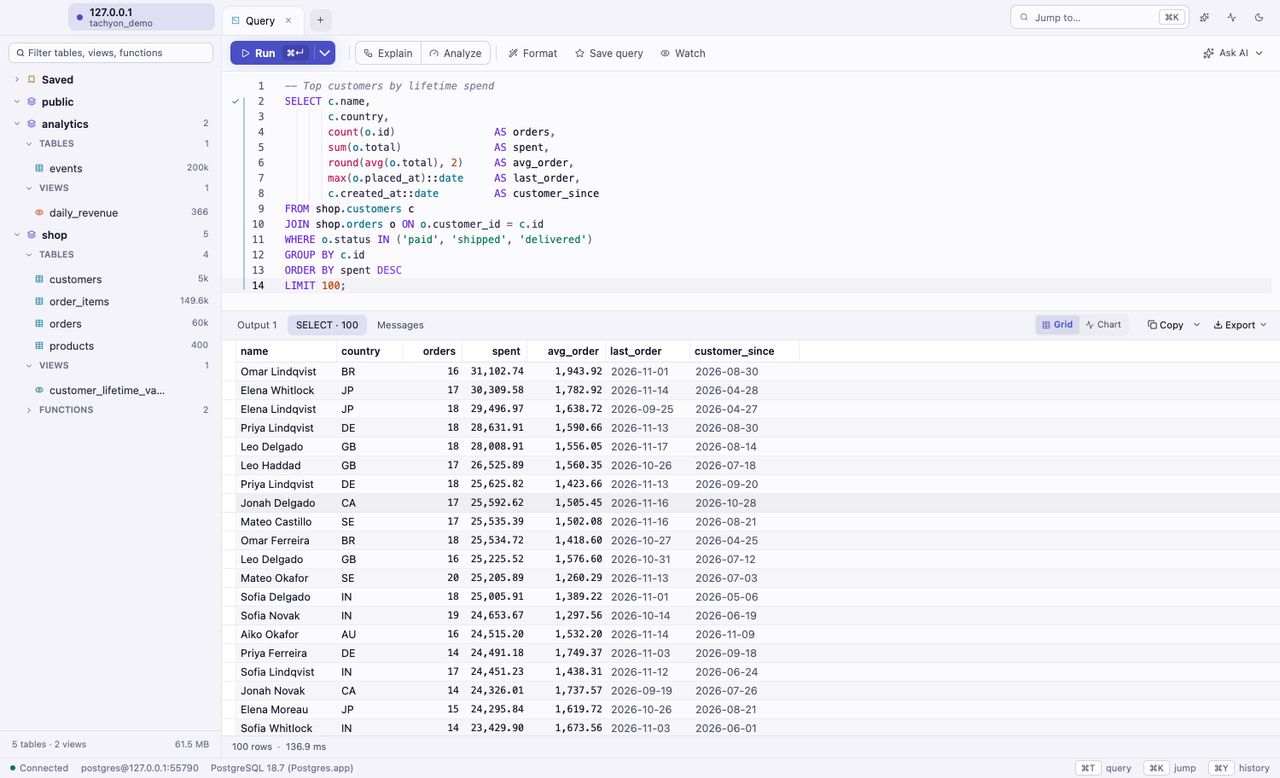
Measured with Tachyon's benchmark suite on an Intel Mac against a local database, November 2026. Your numbers depend on your Mac, network and data.
Run any query with geometry or geography and switch to Map. Hundreds of thousands of features draw instantly on a built-in basemap that works offline. Hover for the row, click to jump to it.
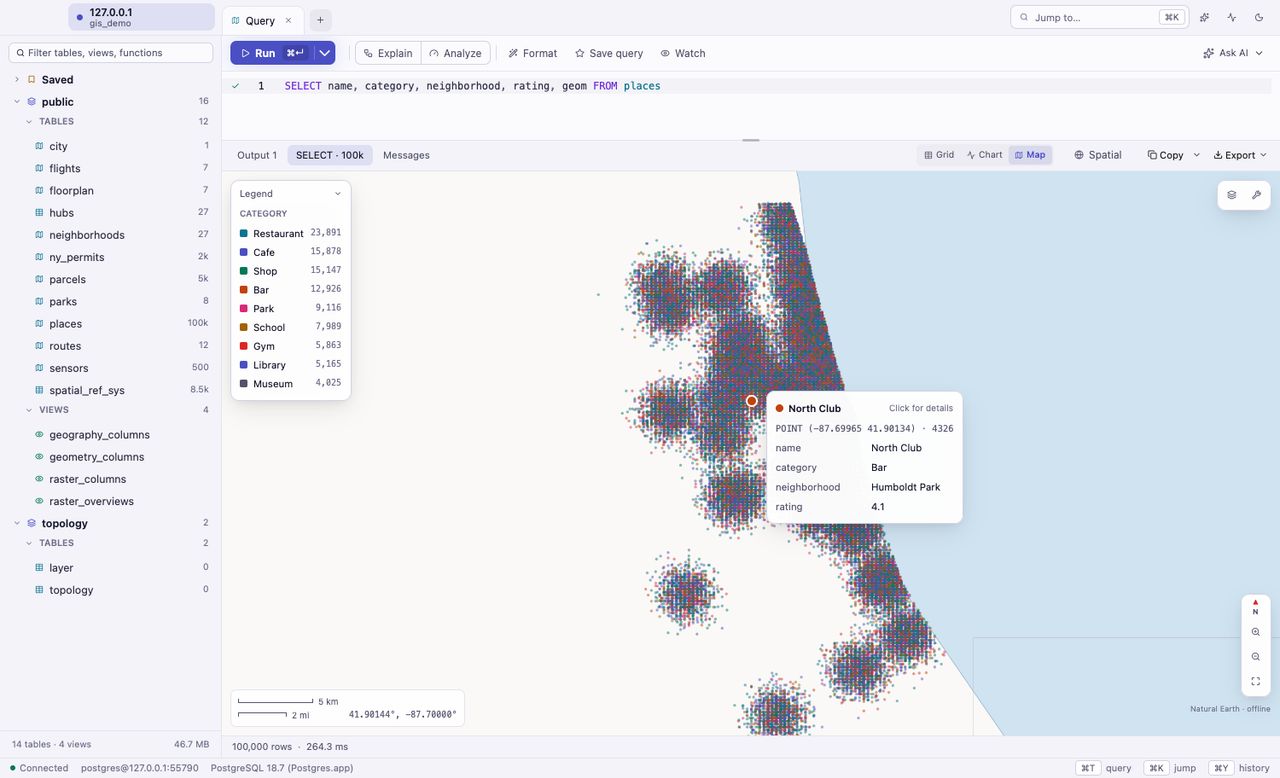
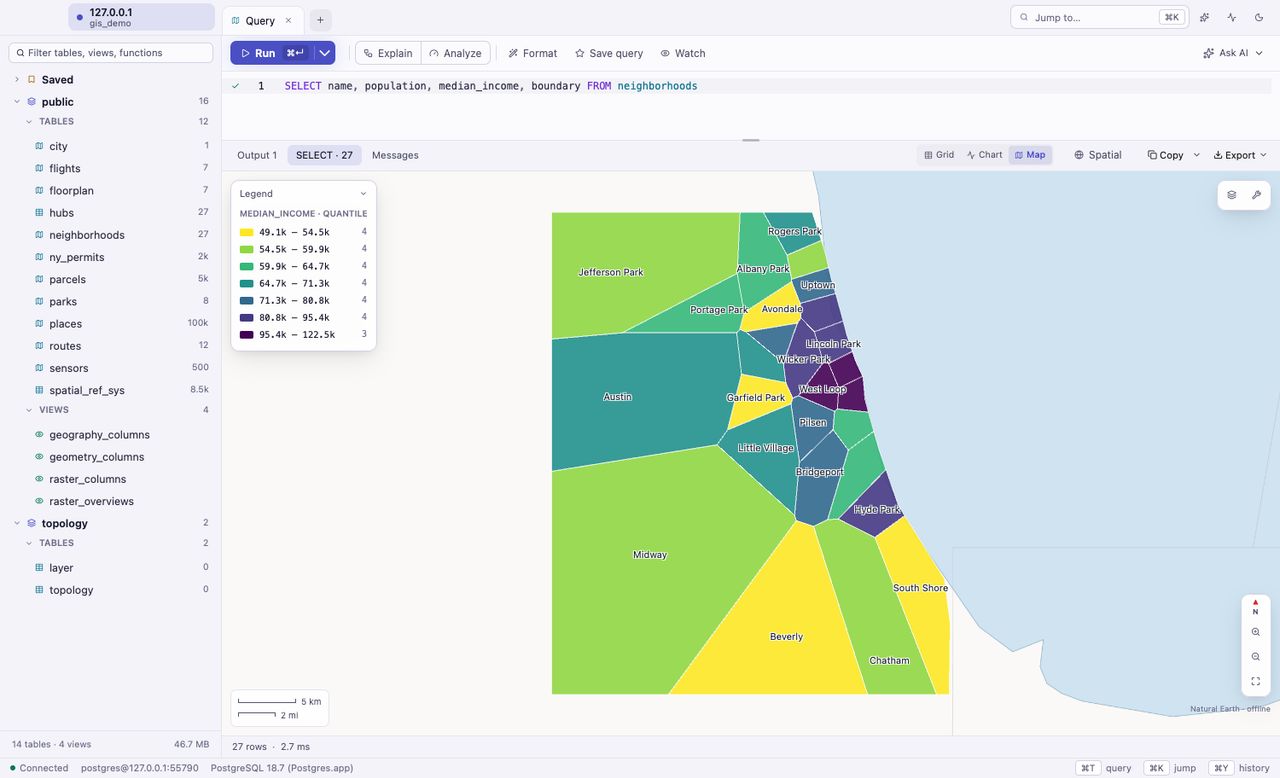
Categories get distinct colors, numbers a smooth ramp, with a legend that explains itself.
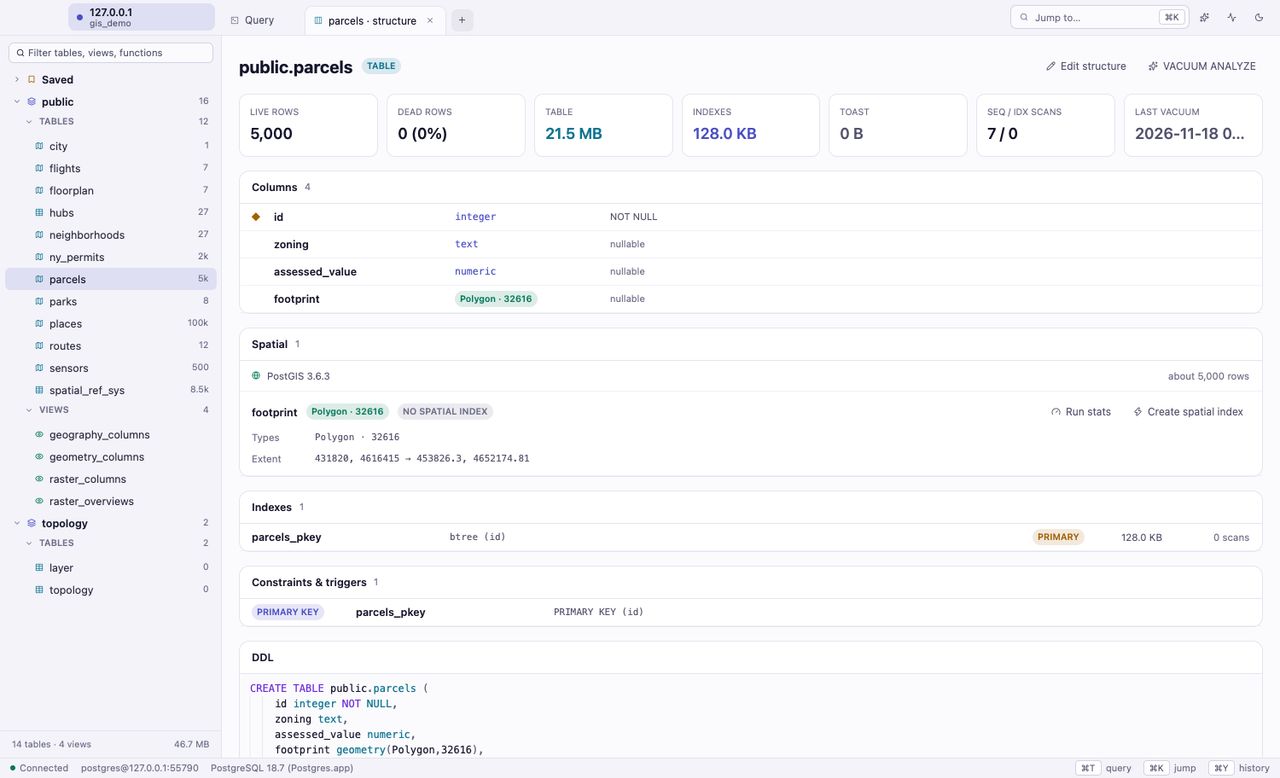
Geometry types, SRIDs, extents and spatial indexes for every table, with a one-click fix when a big table has none.
Seventy-four seconds, no fluff: the editor, the grid, query plans, maps and the rest.
Results stream in the moment they are ready. Huge tables open on the first page and scroll smoothly, with sorting, filtering and search on the server. Idle, Tachyon uses almost no CPU.
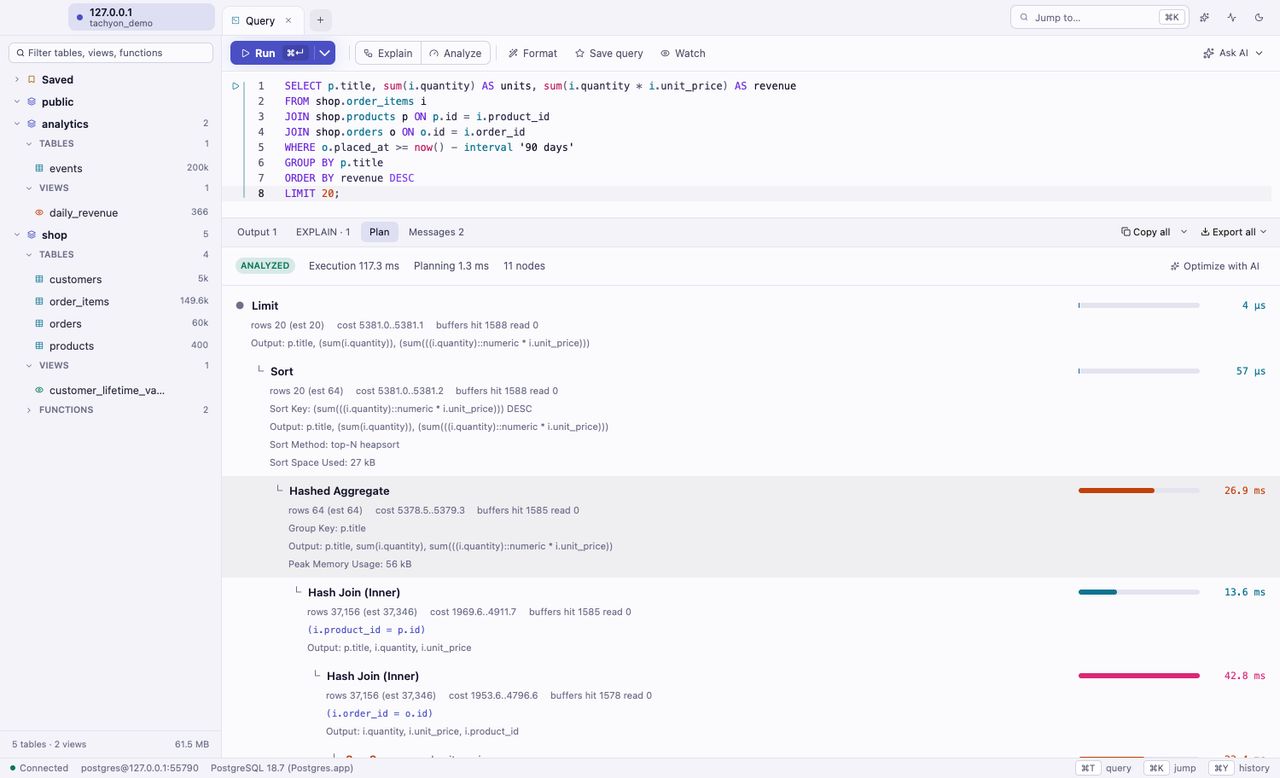
Autocomplete for tables, columns, functions and whole joins. Mistakes underlined as you type, with one-key fixes. Docs on hover for everything, and Cmd-click to jump to a definition.
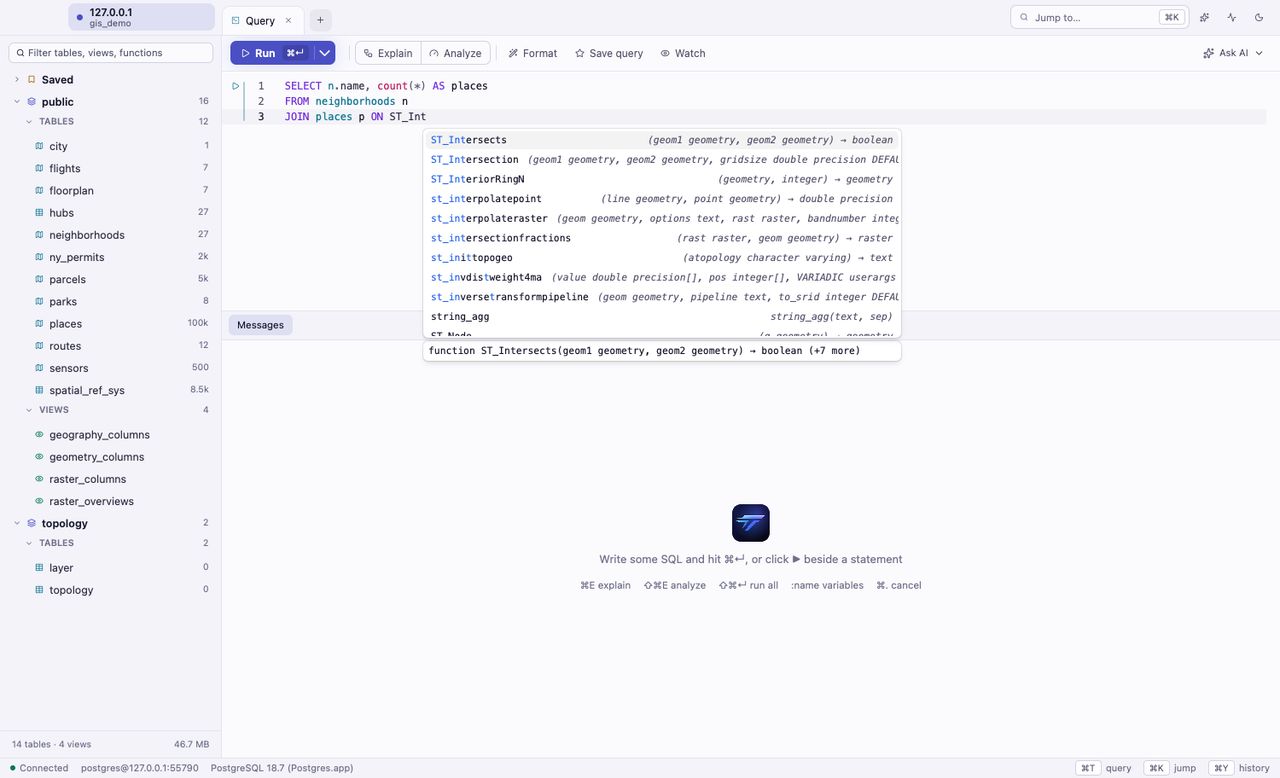
Explain and Analyze draw the plan and point straight at the slow parts. Analyze always rolls back.
One key to format. Everything you ran is searchable. Saved queries are plain .sql files.
Run the statement under your cursor, a selection or the whole file. Named :parameters prompt for values.
Double-click a cell and type. Every change is staged, highlighted and shown as SQL before you commit. Read-only connections, colored environments and passwords in your Keychain keep production safe.
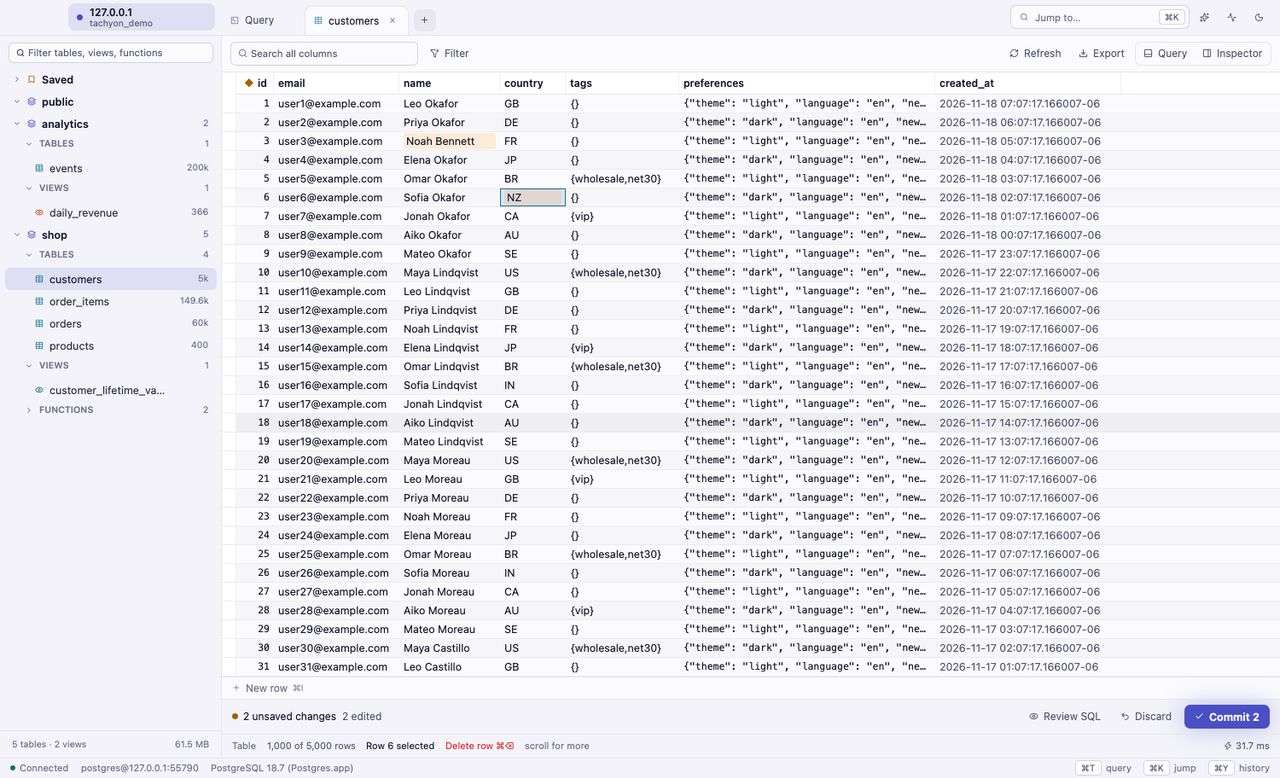
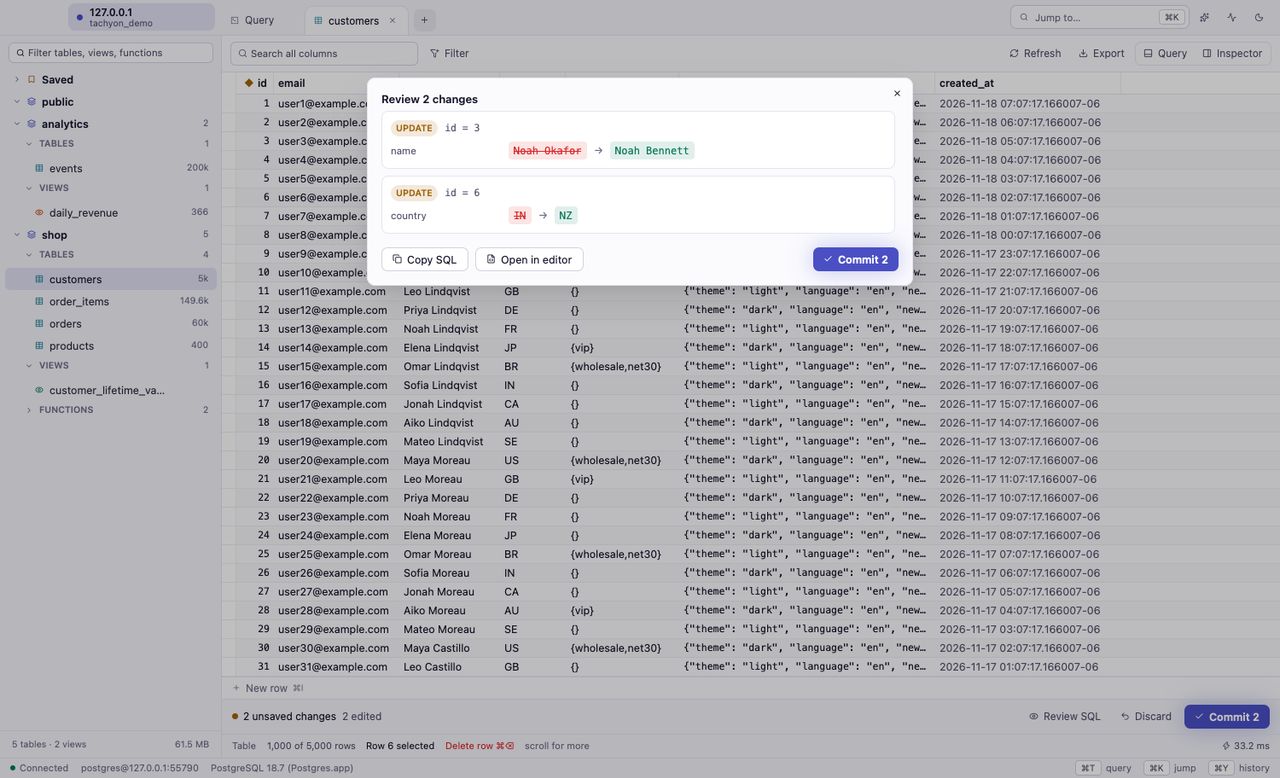
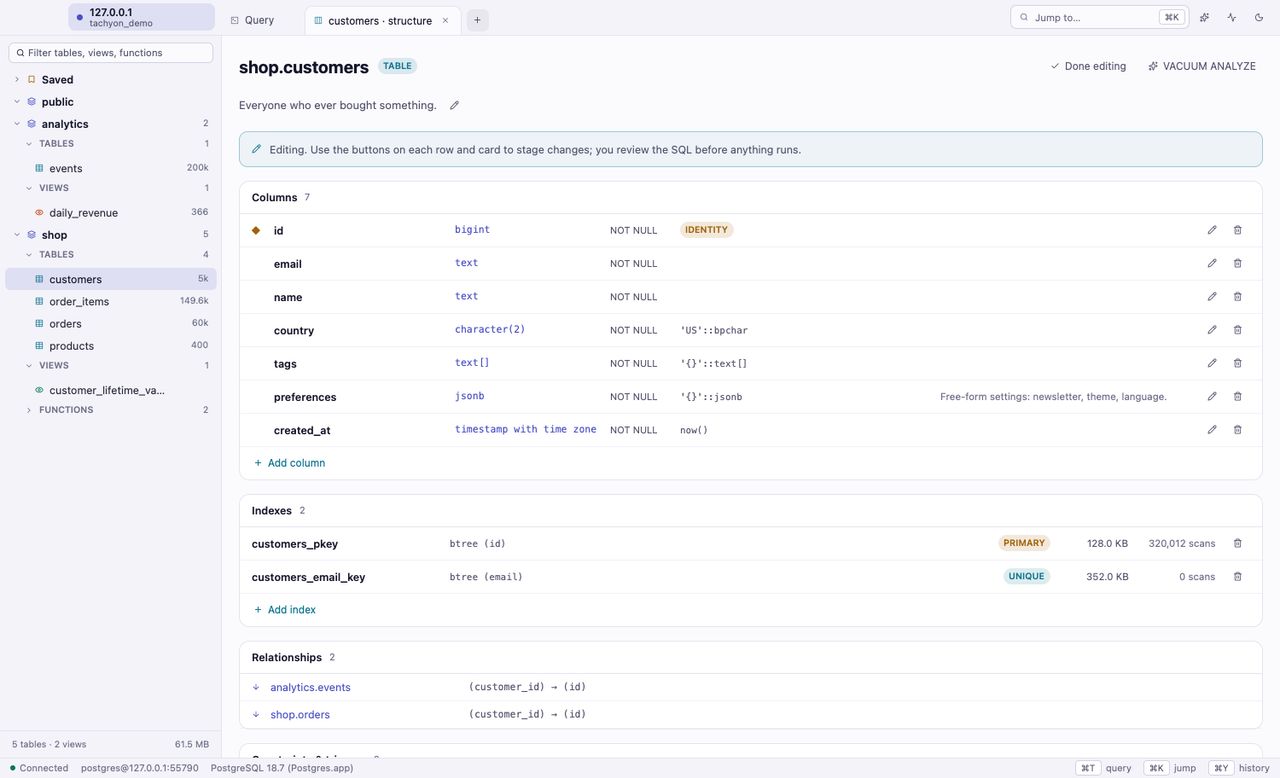
Add and change columns, keys, indexes and constraints in place. Tachyon stages each change and shows the exact SQL before anything runs.
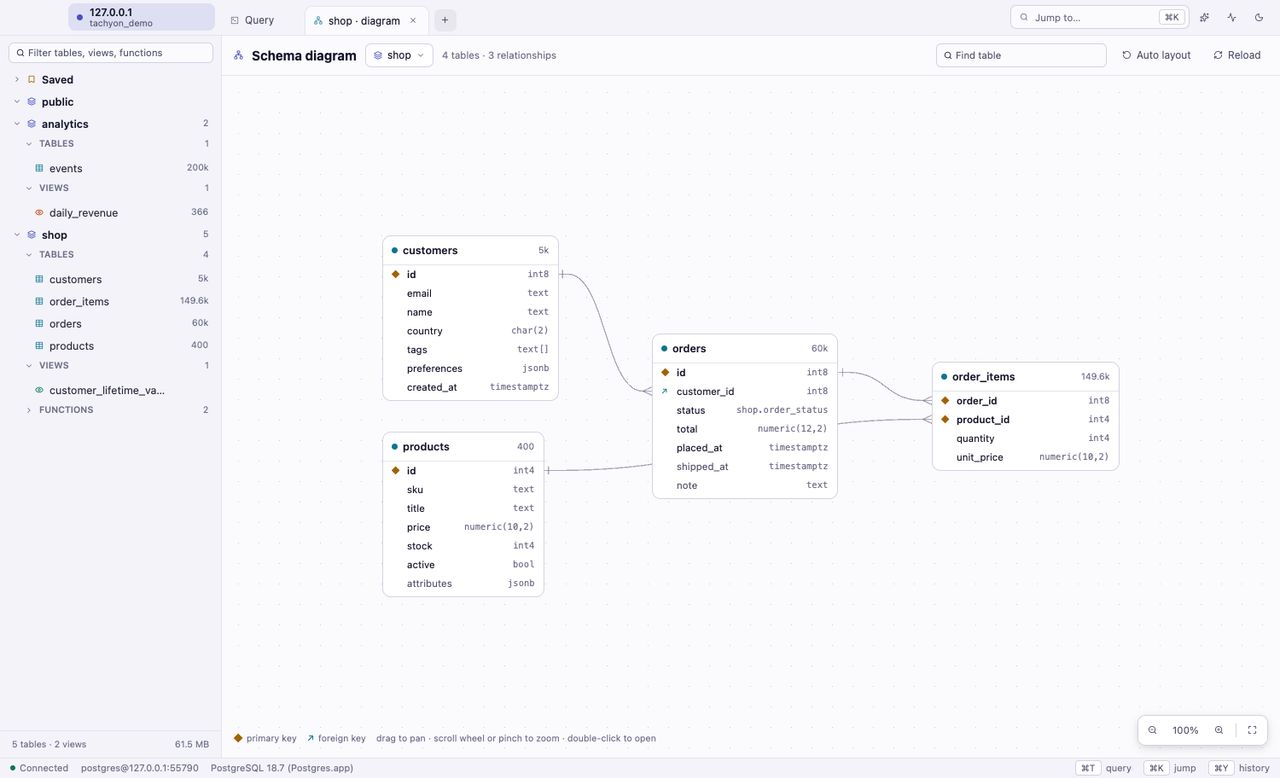
Any schema, drawn as a diagram with keys and relationships. Pan, zoom around the pointer, find a table, and double-click to open it.
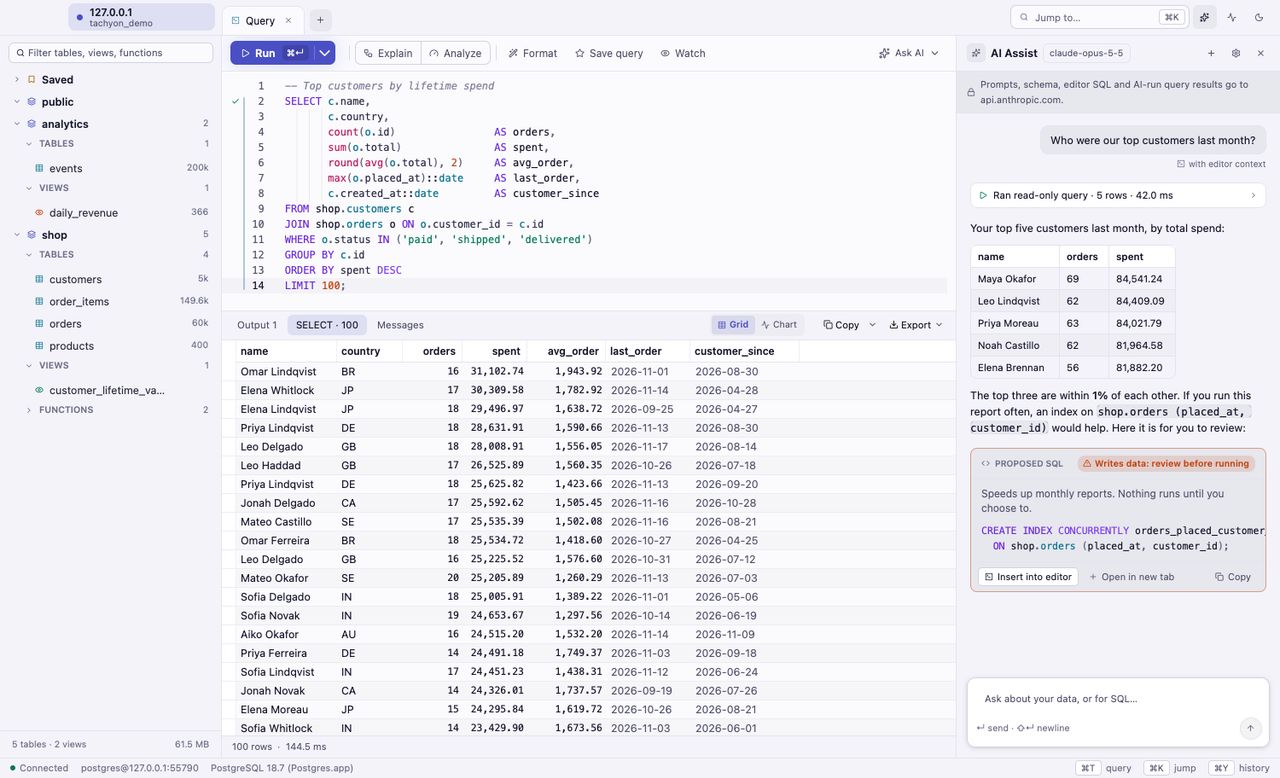
Bring your own key for Anthropic, OpenAI and others, or run a private model on your Mac. AI can read your schema and, if you allow it, run read-only queries.
Tachyon uses your existing SSH config, keys and agent to reach databases on private networks. Host keys are verified, and passwords live in your Keychain.
Download and go. A license is a key, not a login.
No analytics and no tracking. Nothing about you or your data is sent to us.
Everything runs on your Mac, down to the map tiles. Update checks can be turned off.
Passwords and API keys live in your macOS Keychain, never in plain files.
Roles, memberships, table, column and default privileges.
Databases, schemas or single tables.
See what differs between two databases and get the migration.
Live queries, who blocks whom, one click to cancel.
CSV and TSV in. CSV, TSV, JSON, Excel, Markdown and SQL out.
Every command one search away, with editable shortcuts.
Light and dark, beautiful themes, and a bigger or smaller interface.
Native menus, familiar shortcuts, full screen, and updates from inside the app.
Pay once, use it forever. Every license includes a year of updates; renew for $39 whenever you want the next year.
$0forever
Every feature, no account
Try everything, for as long as you like. Upgrade when you need more room.
Most popular
$69 one time
One person, up to 3 Macs
For you, on your own Macs, for anything you work on.
$99 per Mac
Bought by a company, per Mac
For companies buying for their people. Assign seats as you like.
$699 one time
10 Macs
Ten seats for a whole team, at a better price per Mac.
Yes. The free version has every feature, including maps, AI and the table designer, with no time limit and no account. It is limited to 2 saved connections and 3 open tabs. Buy a license when you want more.
Tachyon keeps working, forever. Your license covers every version released in the year after you buy it. After that, you can keep using the version you have, or renew for $39 to get another year of updates whenever you like.
No. There is nothing to sign up for. When you buy, you get a license key by email and on the thank-you page. Paste it into Tachyon, or click the activation link, and you are done.
No. There are no analytics and no tracking. Tachyon talks to your databases, the AI provider you choose (only if you turn AI on), and GitHub to check for updates, which you can turn off. Passwords and API keys are kept in your macOS Keychain.
Any Mac with macOS 12 Monterey or later. Tachyon is a universal app, so it runs natively on both Apple silicon and Intel.
PostgreSQL on your Mac, on your network or in the cloud, over SSL and through SSH bastion hosts. Many Postgres-compatible servers work too. PostGIS gets maps and spatial tools on top.
AI is optional and off until you set it up. Bring your own key for Anthropic, OpenAI and other providers, or run a private model on your Mac with tools like Ollama or LM Studio. You pay your provider directly, or nothing for a local model. AI reads only what you allow, and anything that would change data comes back as SQL for you to review and run yourself.
Yes. Commercial licenses are sold per Mac, in any quantity, and Team covers 10 Macs. Checkout is handled by Paddle, our reseller, which takes care of invoices and sales tax or VAT.

Free to download. Every feature included. No account needed.